

A planned move from WooCommerce

WooCommerce alternatives.
Switch with your business intact.

Alternatives to WooCommerce and migration to another commerce platform. Compare PrestaShop or Shopify — two options for your next stage of growth. We assess features, operations and total cost.

  • 25+ WooCommerce shops successfully migrated to PrestaShop / Shopify
  • WooCommerce migration without losing data
  • WooCommerce migration without losing rankings
  • Professional alternatives to WooCommerce
Is switching right for me?Book a consultation
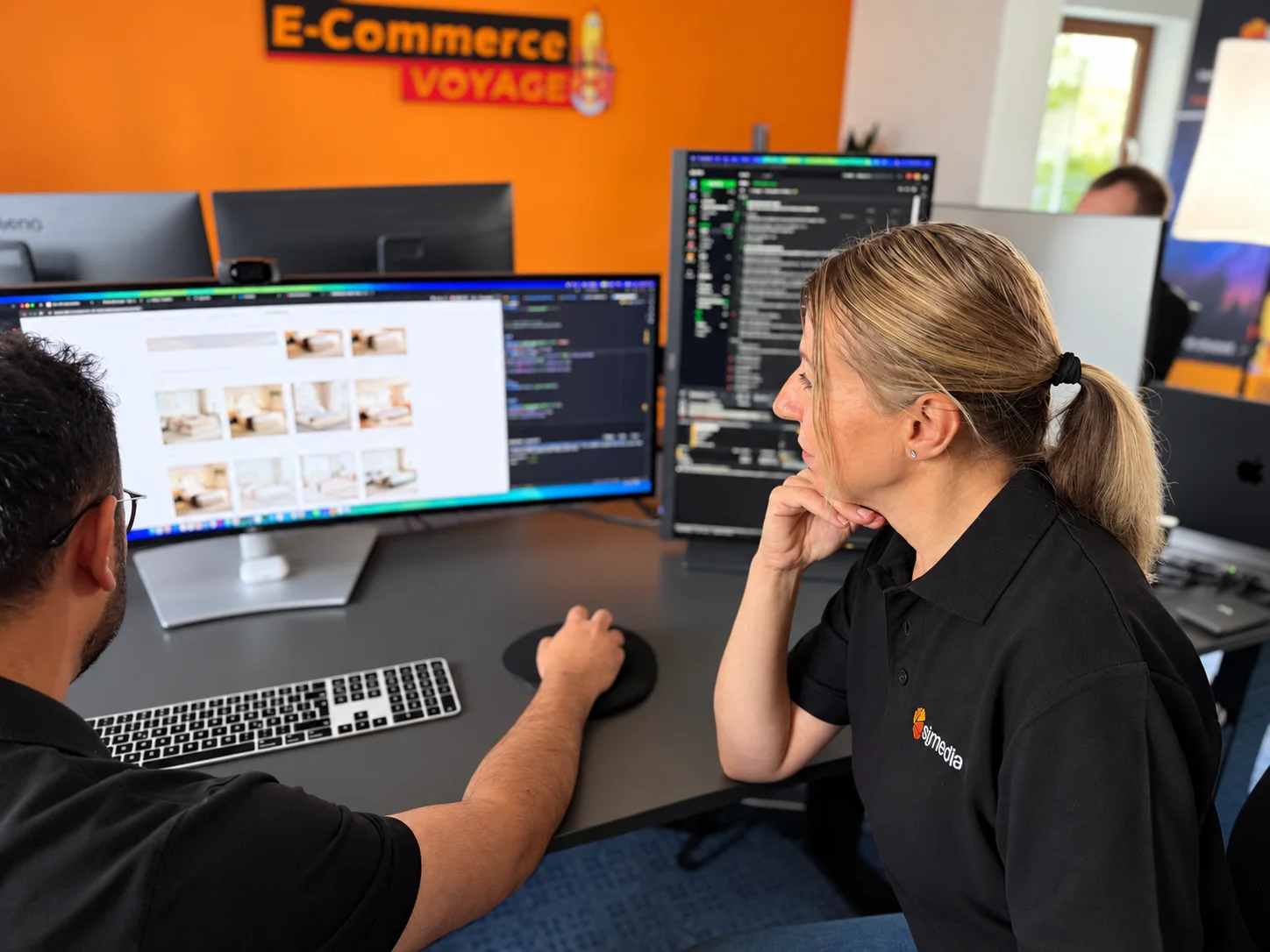
Two sjmedia team members discuss an ecommerce project
25+WooCommerce stores migrated to PrestaShop / Shopify

Tell me
where you stand.

Before recommending a move, I would like to understand your situation. Three clicks — then I will show you what matters to you. And if WooCommerce suits your business, I will tell you that too.

Jochen Schmid, Managing Director of sjmedia GmbHJochen SchmidManaging Director · sjmedia
Question 1 of 3
How do you use WooCommerce
today?
Starting point

When WordPress and your store need too much maintenance.

WooCommerce connects your shop to WordPress, which is useful when content and commerce belong together. If plugins, updates and custom processes become increasingly demanding, it is worth comparing a standalone ecommerce platform.

WordPress & store

WordPress, your theme and commerce plugins need to be maintained and tested together.

Plugin dependencies

Payments, shipping and extra features often depend on several extensions.

Hosting & performance

Hosting and the database need to match your catalogue, orders and traffic.

Commerce instead of a CMS

A dedicated commerce platform can simplify daily work when selling is the main priority.

The entry price is only part of the picture. Compare migration, hosting, extensions and maintenance over the full planned lifetime of your store.

Compare costs over 5 years →

Alternatives to WooCommerce

Reaching WooCommerce’s limits? Discover Shopify and PrestaShop as powerful alternatives offering scalability, clear costs and freedom to design and develop your shop.

Why WooCommerce is so widespread

WooCommerce is widely used because it builds on the WordPress interface that many people already use for their website. The shop draws on WordPress functionality, giving users access to its website design capabilities.

Where difficulties arise

However, if you want to run a dedicated shop many WordPress features are unnecessary, may cause confusion and take up storage.

The alternative

Alternatives include dedicated shop solutions such as Shopify or PrestaShop . Existing WooCommerce merchants can migrate to either platform and use their important data and functionality in the new shop.

Our complete migration service we support this migration. For Shopify in particular, you can handle many setup tasks yourself once we have established the necessary foundations.

WooCommerce alternatives

WooCommerce vs. other ecommerce platforms.

Considering whether PrestaShop or Shopify would suit you better than WooCommerce? We compare features, operation and total costs against your requirements, honestly and without sales pressure. The best system is the one that fits your goals.

Select a platform to highlight it
LicenceOpen source, no licenceOpen source, no licence feeSubscription + transaction fees
Running costsHosting, plugins & maintenanceHosting, modules & maintenancePlan, apps & payment processing
ModulesWordPress pluginsModules, costs vary by providerApp Store, mostly subscriptions
FlexibilityHigh, WordPress-basedVery high, full controlLimited, many features via apps
InternationalThrough suitable extensionsLanguages, currencies, international SEOWell equipped
Ease of useFamiliar to WordPress usersClearly organisedVery easy
Hosting & maintenanceOrganise it yourselfYour own hosting, maintenance by usIncluded with the provider
Editorial guide, 1–5 · depends on the projectWooCommerce can still be the right choice. Your specific requirements determine the best fit.
For greater control

WooCommerce vs. PrestaShop

PrestaShop is open source, offers full control over data and hosting and is highly customisable. Technical expertise or an agency is needed to operate it.

PrestaShop is a standalone open-source ecommerce platform. Compared with WooCommerce, we focus on data models, features, design and integrations and ongoing operation.

Hosting, updates and modules must be budgeted here too. Whether switching makes financial sense depends on the cost calculation for your shop.

  • LicenceOpen source, no licence fee
  • Running costsHosting, modules & maintenance
  • FlexibilityVery high, full control
  • InternationalLanguages, currencies, international SEO
  • HostingYour own hosting, maintenance by us
Hosted alternative

WooCommerce vs. Shopify

Shopify is cloud-based and easy to use. Updates and platform security are included, with ongoing plan and app costs.

Shopify handles hosting for the platform and reduces technical operational effort.

The plan, apps and payment processing must be included in the cost comparison. We assess custom features and data exports before switching.

  • LicenceSubscription + transaction fees
  • Running costsPlan, apps & payment processing
  • FlexibilityLimited, many features via apps
  • Ease of useVery easy to use, quick to set up
  • HostingIncluded with the provider
Request a free platform assessmentExplore the PrestaShop 9 demo
Costs

Costs when migrating from WooCommerce to Shopify.

WooCommerce

Open source does not mean cost-free.

As open-source software, WooCommerce can be used free to use in principle . Running an online shop still involves costs, including domain and hosting costs because WooCommerce needs its own or rented server.

Many features included in Shopify require paid WooCommerce plugins, such as:

  • SSL certificates
  • multichannel integrations
  • automated tools to support GDPR compliance

Specialists who handle maintenance and upkeep also need to be paid. Expanding and optimising a growing WooCommerce shop often requires technical knowledge.

Many WooCommerce merchants therefore hire specialist agencies for these tasks.

Shopify

Subscription with hosting included.

27 €per month · Shopify Basic for solo entrepreneurs, billed annually

By contrast, Shopify uses a subscription model. The entry-level Shopify Basic plan for solo entrepreneurs costs €27 per month when billed annually.

There are also ongoing transaction fees for the various payment methods. Hosting, certificates and security updates are included:

HostingCertificatesSecurity updates

As of: 27 October 2026, according to Shopify. The provider’s current pricing is authoritative.

We can agree the cost of our WooCommerce-to-Shopify migration support in advance in a transparent plan .

Compare costs over 5 years →
Moving to Shopify

Reasons to move from WooCommerce to Shopify.

Less technical effort

Shopify offers an easy-to-use solution with integrated hosting, support and automatic updates.

Growth

Expanding a product range or entering new markets requires high-performance hosting with straightforward operation, which Shopify provides.

Improved performance

Shopify delivers fast loading times and provides a stable platform designed for traffic peaks.

Additional features

The Shopify App Store offers a range of extensions that are straightforward to integrate.

International presence

Support for multiple languages and currencies is straightforward in Shopify.

Operate a shop without development expertise

Plugin management, hosting and platform security are integrated into Shopify and require no specialist technical knowledge.

Save time and resources

Shopify’s automated processes save time and resources that can be used for core business activities.

Improve the user experience

Shopify’s intuitive interface and usability support a positive customer experience and higher conversion rates.

Switching from WooCommerce

Move from WooCommerce. Transfer data carefully.

An established WooCommerce shop contains more than products. We catalogue customers, orders, content, SEO data and integrations. Before migration, we determine which data can be exported and how it will be represented in the new system.

Our complete WooCommerce migration service we guide the assessment, test imports and switch. We agree scope, responsibilities and costs with you in advance.

WooCommercePrestaShop
  • Products & variantsProducts & variants
  • Categories & attributesCategories & attributes
  • Customers & ordersCustomers & orders
  • Images & mediaImages & media
  • SEO data & URLsSEO data & URLs
  • WordPress contentWordPress content
Ready for migration …First in the test environment, then live
Moving to Shopify

Our Shopify migration service

Together, we plan the transition from WooCommerce to Shopify:

  • We guide the process and explain which tasks you can carry out yourself.
  • Together, we test all features of the new Shopify shop in a staging environment.
  • The new shop goes live only once everything works correctly.

Another important reason to choose Shopify is the compatibility of its pricing plans. A smaller shop can start on Basic and move to a larger plan when the business develops.

No further platform migration is required for this. We can also advise you in detail on the right service package.

Moving to PrestaShop

Moving from WooCommerce to PrestaShop

Migrating from WooCommerce to PrestaShop follows a similar process, but requires more substantial technical work and development expertise.

We closely support this process too, enabling the individual solutions described above.

We can advise whether PrestaShop or Shopify is more suitable for your requirements when leaving WooCommerce.

Request a free platform assessment
A secure platform migration

Migrating WooCommerce data to PrestaShop.

PrestaShop may be an alternative to WooCommerce if you want a standalone, customisable ecommerce platform . We weigh the benefits against the additional operational effort. The following points help you decide.

Reasons to consider PrestaShop

Cost efficiency

Like WooCommerce, PrestaShop is an Open-source platformand also operates without licence fees . Hosting and plugin costs must be assessed individually. We calculate hosting, modules, development and maintenance for your project; switching is not automatically cheaper.

Flexibility

Extensions and modules can implement individual requirements. Few alternatives to WooCommerce offer as many options for adapting a shop to specific needs as PrestaShop. We first assess the functionality you actually require.

International presence

PrestaShop is also designed for international operations and is designed for multiple languages. This supports cross-border commerce and entry into new markets.

Support from the developer community

A large open-source community offers resources, prompt help and regular updates. Alongside community support, as a certified PrestaShop agency we provide qualified support, including technical assistance and maintenance when required.

Independence from commercial licensing models

PrestaShop offers attractive options for merchants who want more control over their shop’s technical infrastructure. You choose hosting and technical development , while responsibilities for operation and security must still be assigned.

Modularity

PrestaShop’s modular structure enables a resource-efficient setup of a new shop and simplifies later adjustments.
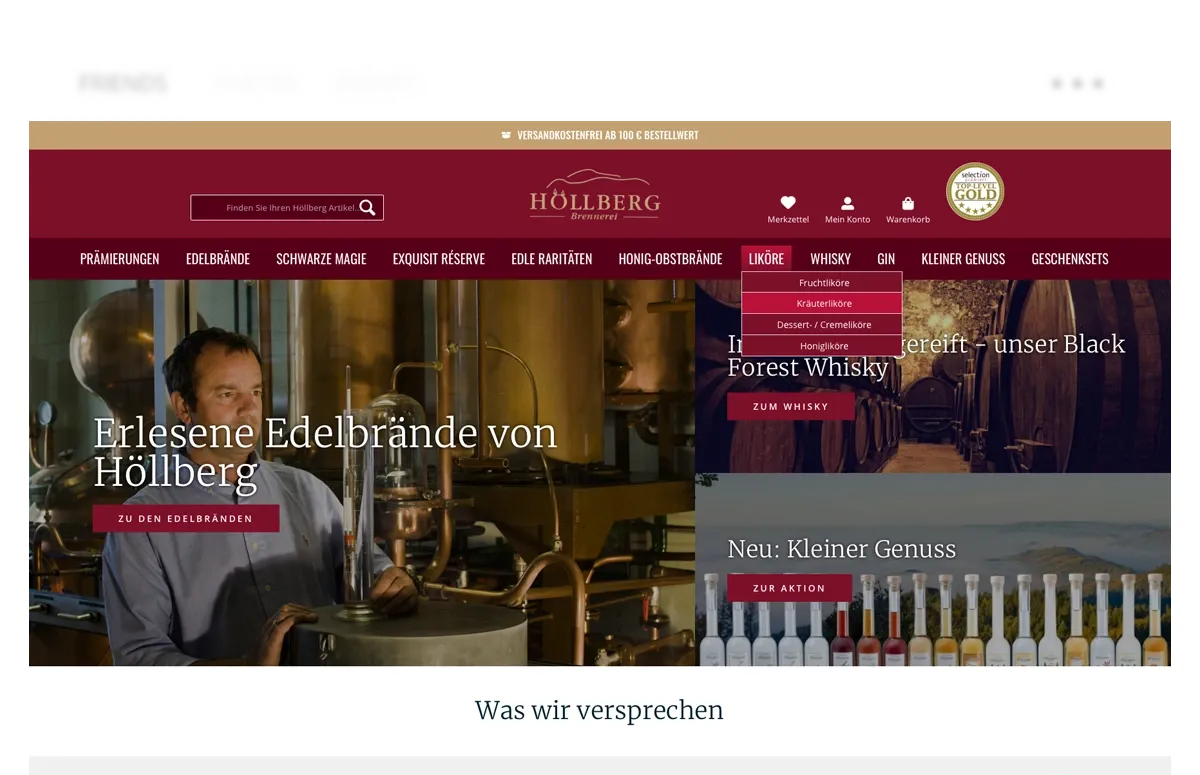
Höllberg Brennerei online store after migrating from Shopware 5 to PrestaShop
Client project · Shopware 5 → PrestaShop 8

Höllberg distillery

A deliberate move to PrestaShop in response to rising Shopware 6 subscription and module costs. We faithfully reproduced the design, improved checkout, and continued Google Shopping and Amazon integrations while preserving strong SEO visibility.

More client projects →
★★★★★
“Very knowledgeable, fast responses, honest advice, fair and transparent billing — excellent customer service.”
BBianca FreygangGoogle review

Let's discuss your project — without obligation.

Together, we will identify what your store needs for sustainable growth.

Book a free consultationMore services
Preparation

Preparing for migration.

Careful planning is the key to a successful store migration. The essential steps:

Completed

Assessing your existing store

A comprehensive inventory: which data, modules, extensions and integrations are in use? Which processes have been customised? We also identify accumulated features and data that are no longer needed, so they can stay behind.

  • Products & variantsrecorded
  • Modules & pluginsrecorded
  • Integrations: ERP, shipping, paymentsrecorded
  • Custom adaptationsrecorded
  • Unused legacy dataleft behind
Not sure whether a WooCommerce migration is right for you?Let’s look at your requirements and current WooCommerce challenges together.
Ask about WooCommerce migration
Process

The WooCommerce migration process.

Seven steps — from your WooCommerce data to a live PrestaShop store.

Exporting data from WooCommerceAdapting and cleaning exported dataImporting data into PrestaShopCustom adaptations for PrestaShopDesign and template customisationTesting and quality assuranceGo-live and follow-up in your new PrestaShop store
  1. Step 1

    Exporting data from WooCommerce

    First, we export all the relevant data identified in the assessment from WooCommerce, including:

    • Products with descriptions, images, attributes, variants and prices
    • Categories and navigation structures
    • Customer data and orders
    • SEO data such as meta titles, meta descriptions, redirects and links
    • CMS content such as blog posts or landing pages
  2. Step 2

    Adapting and cleaning exported data

    Because WooCommerce and PrestaShop use different data structures, the exports need adapting. We remove duplicates and outdated data, and standardise formats for addresses, prices, VAT and other shared data.

  3. Step 3

    Importing data into PrestaShop

    The cleaned data is imported into PrestaShop using a suitable tool or module. We always begin with a test import in a development environment to identify and fix potential errors. We test all functions and document the process.

  4. Step 4

    Custom adaptations for PrestaShop

    Not every WooCommerce feature has a direct PrestaShop equivalent. We rebuild or adapt custom developments, themes and plugins as needed, comparing all functionality carefully.

  5. Step 5

    Design and template customisation

    Your store design should reflect your corporate identity and provide a familiar shopping experience. We customise PrestaShop templates so customers retain the experience they know and can use new features intuitively.

  6. Step 6

    Testing and quality assurance

    Before go-live, we test the store thoroughly in a development environment: checkout, payment methods, shipping options, logistics and ERP integrations. We also check loading times and mobile layouts.

  7. Step 7

    Go-live and follow-up in your new PrestaShop store

    After migration and thorough testing, the new PrestaShop store goes live. We pay particular attention to:

    • Redirecting old URLs to protect SEO visibility
    • Monitoring performance and user behaviour during the first few weeks
    • Resolving any emerging errors quickly
    • Training your team early so they can confidently use the new platform
The route to Shopify

Migrating from WooCommerce

We create a detailed plan for moving your WooCommerce data to Shopify. You can then carry out many tasks yourself. The following steps must be completed:

  1. Before migrating data from WooCommerce to Shopify, prepare a comprehensive inventory of the existing shop.
  2. Catalogue all products, categories, customer data, order histories and blog posts.
  3. Check which plugins and extensions are needed in the new shop and how their functionality can be implemented.
  4. Check product information, images, metadata and customer profiles for completeness and accuracy.
  5. Back up all WooCommerce shop data.
  6. Check how the existing domain can be connected to Shopify and plan the switchover.
  7. Set up 301 redirects to help preserve existing search rankings.
  8. Define the improvements the move to Shopify should deliver, such as better usability, loading times, mobile presentation or search rankings.
Ask about alternatives to WooCommerce
Challenges

Typical challenges and solutions when migrating from WooCommerce to PrestaShop.

Inconsistent data

Problem: WooCommerce and PrestaShop store data differently.
Our solutionWe standardise formats and map data to the correct fields.

Lost functionality

Problem: Not every WooCommerce plugin exists for PrestaShop.
Our solutionWe find suitable modules or develop a custom solution.

SEO losses

Problem: Without planning, rankings can drop after migration.
Our solutionWe set up redirects and transfer SEO data.

Training needs

Problem: PrestaShop works differently from WooCommerce.
Our solutionWe train your team to make everyday work on the new platform easier.

More tips for a successful migration.

From our migration work — these points help with preparation.

Moving from WooCommerce to Shopify or PrestaShopWe listen so we can develop the best possible ideas and advice for a potential migration.Discuss your WooCommerce migration
  • No time pressureAvoid migrating under time pressure: create a detailed schedule with a buffer for unexpected work.
  • Test firstRehearse every step in a test environment before making changes to the live store.
  • Back up both storesBack up both stores so any data loss discovered later can still be addressed.
  • Experienced guidanceWork with an experienced agency or IT specialist. The more complex the store, the more important this becomes.
  • Communicate openlyCommunicate changes openly with customers before and after migration. This builds trust.

Moving from Gambio to Shopify

Before such a fundamental change to your shop, transparent customer communication is an important prerequisite.

Inform customers before and after

Inform customers early

  • that a transition is coming,
  • that their data will be kept secure
  • and what benefits they can expect.

Inform customers again after migration and highlight improved usability . This makes the migration an opportunity for communication and customer care.

Make the transition rewarding

Even with good communication, customers may find changes to familiar processes frustrating.

When announcing the relaunch, consider making the transition easier with a discount code or another attractive offer . This can maintain goodwill and may generate additional sales.

Mission accomplished

WooCommerce-to-PrestaShop migration successfully completed.

After moving from WooCommerce, we check orders, payments, redirects and key integrations. Your team learns the new workflows. During the first weeks we monitor errors, performance and search data and make adjustments where needed.

Experience from successful store migrations

★★★★★4,9 · 111 reviews
★★★★★
“Quick implementation of our requests — nothing is impossible! Excellent service!”
Armin Rothmund · Google review
★★★★★
“A good impression from the start, which proved justified! Very knowledgeable, fast responses, honest advice, fair and transparent billing — excellent customer service.”
Bianca Freygang · Google review
★★★★★
“Five stars — nothing more needs to be said. We have always received knowledgeable and friendly support. Highly recommended!”
Doctor San · Google review
★★★★★
“We came to sjmedia through a recommendation and have worked together for several years. If you need a new agency for your store or ecommerce business, this is the right place.”
Leo Fabry · Google review
★★★★★
“We have been customers of the sjmedia PrestaShop agency for seven years and could not be happier. Mr Schmid and his team have professionally supported our PrestaShop store.”
Orsolya Sämann · Google review
★★★★★
“After years of searching, we finally found real PrestaShop experts. Following several disappointing agency experiences, finding sjmedia was a stroke of luck.”
Plotter Folien CH · Google review

Why retailers
enjoy working with us.

Migration connects technology, data and SEO. We guide your move from WooCommerce with clear responsibilities and a contact who knows your store.

01CertifiedPrestaShop Expert 3 Stars, WooCommerce and Shopify partner, 11 team certificates.
02ExperiencedExperience with store migrations, integrations and ongoing store support.
03FastOur support responds within one business day, Monday to Friday.
04RecommendedReviews from merchants we work with every day.
11 PrestaShop certificates in our teamFull-stack, developer, back-end, front-end, integrator and Symfony — regularly renewed.View allClose

Questions about WooCommerce migration?
Clear answers.

We assess products, categories, customers, orders and content. Export options, extensions and data quality determine the scope. A test import verifies what arrives correctly in the target platform.

Costs & platform choice

Process & duration

Data & SEO

Technology & features

Prefer a quick call
to a long read?
+49 7222 80 79 002Jochen Schmid · Mon–Fri, 9 am–5:30 pm
★★★★★4,9 · 111 reviews
“Quick implementation of our requests — nothing is impossible! Excellent service!”
Armin Rothmund · Google review
“A good impression from the start, which proved justified! Very knowledgeable, fast responses, honest advice, fair and transparent billing — excellent customer service.”
Bianca Freygang · Google review
“Five stars — nothing more needs to be said. We have always received knowledgeable and friendly support. Highly recommended!”
Doctor San · Google review
“We have been customers of the sjmedia PrestaShop agency for seven years and could not be happier. Mr Schmid and his team have professionally supported our PrestaShop store.”
Orsolya Sämann · Google review
Jochen Schmid, Managing Director of sjmedia GmbHJochen SchmidManaging Director · usually responds the same day
Welcome! How do you use WooCommerce today?

Tell us
about your project.

Your initial conversation is free and without obligation.
Find out whether moving from WooCommerce is worthwhile and what it would cost — even if our recommendation is to stay with WooCommerce.
Book a call →Enquire about your project
Prefer to speak directly? +49 7222 80 79 002