
PrestaShop: open-source ecommerce with flexible extensions
PrestaShop is an internationally used open-source store platform with modules, themes and a developer community. It suits businesses that need an individually adaptable platform and control over hosting and development. Multilingual content and multiple currencies can support cross-border sales, with payment, tax, shipping and SEO requirements planned for each market.
Comparing PrestaShop and Shopify costs
Compare subscriptions, hosting, modules, development and support for the same scope.
Platforms compared
Shopify
Shopify has subscription and app charges. Payment fees depend on the plan, provider and method; additional third-party transaction fees can apply. These costs should be modelled using realistic payment volumes and order numbers.
PrestaShop
Self-hosted PrestaShop has no core software subscription, but modules, development, hosting and support still cost money. Neither platform is always cheaper. As an agency working with both, we prepare a comparison based on the same requirements and operating period.
Where PrestaShop can offer advantages
Cost planning
A free open-source core allows you to allocate budget to the hosting and services you need.
Data control
You can choose how your store is hosted and manage its content and data environment.
Modules and themes
Modules and themes provide a range of extension options.
Custom development
Custom development can adapt workflows to the business.
Scaling
A modular system can grow, provided infrastructure and implementation support the expected catalogue and traffic.
Payments
Payment providers can be compared on functionality and total fees.
International sales
Multilingual and multicurrency setups can support international markets.
What responsibilities come with PrestaShop?
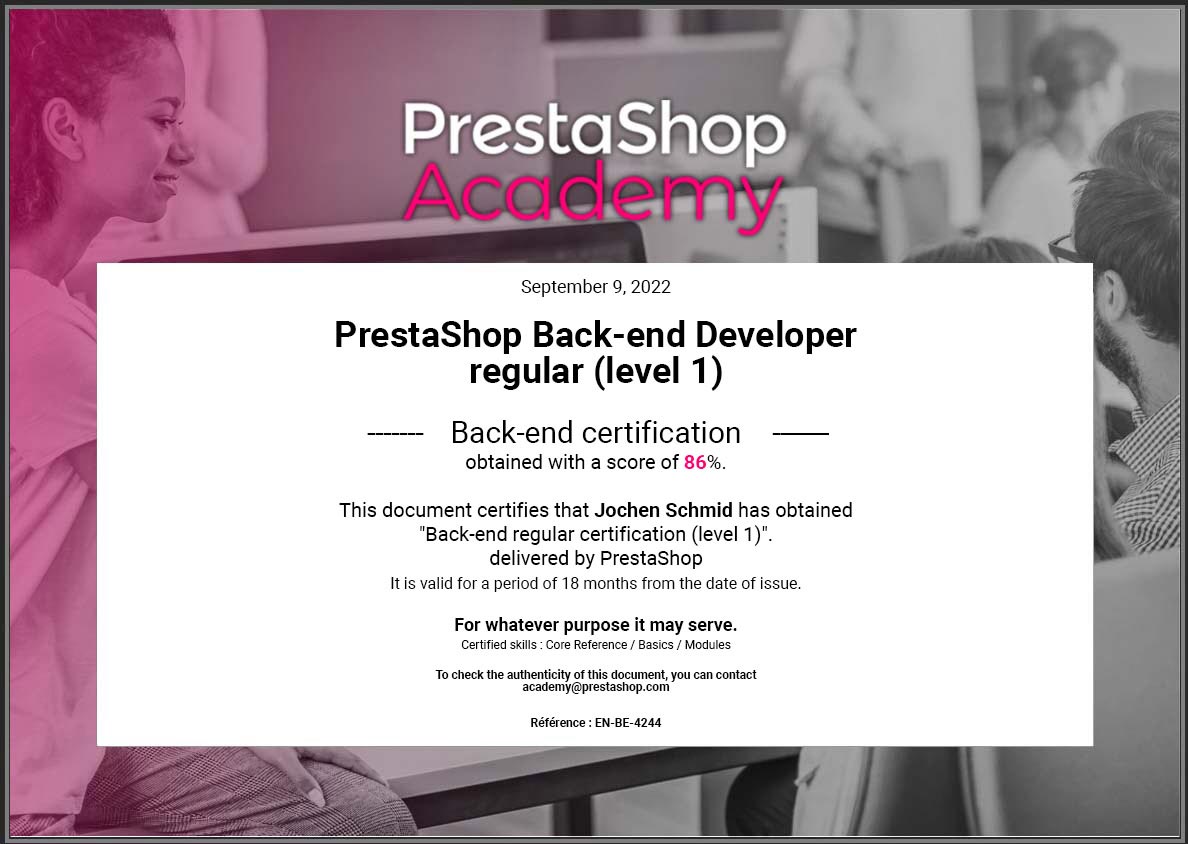
Setup and operation require technical expertise. Most merchants will need an experienced development or support partner. sjmedia has more than 16 years of experience and supports more than 200 PrestaShop stores, as described in our agency profile. Our migration service defines scope, checks data and plans launch. We cannot promise that every function transfers unchanged or that search visibility never fluctuates.
Planning a Shopify-to-PrestaShop migration
A successful migration starts with a careful plan. The main stages are:
- 01
Review the existing Shopify store
Inventory data, apps, extensions, integrations and custom workflows. Identify the functions, content and stored app data that are necessary for daily operation and should be included in the migration.
- 02
Remove unnecessary features
Review functions that have accumulated but no longer serve the business. Agree which can be omitted rather than reproducing avoidable complexity in the new store.
- 03
Define the migration scope
Specify products, categories, customers, order histories, media, SEO data and custom functions that must be carried over. Document limitations and exceptions before implementation.
- 04
Check technical requirements
Arrange suitable hosting for PrestaShop. Its requirements differ from Shopify and include a supported PHP version, database setup, file permissions, backups and operating responsibilities.
- 05
Choose the migration approach
Suitable PrestaShop modules or dedicated migration tools, such as Cart2Cart, may assist with data transfer. Their suitability must be checked for the actual versions and data. We recommend involving a team familiar with both systems early: preventing mapping and integrity problems is generally easier than repairing them after launch.
Technical migration steps
- 01
Export data from Shopify
Export the agreed data, subject to the source system’s export options:
-
Products, descriptions, images, attributes, variants and prices.
-
Categories and navigation structures.
-
Customer records and required order histories.
-
Metadata, redirects and relevant links.
-
Landing pages, blog content and other CMS content.
-
- 02
Clean and map the exported data
Shopify and PrestaShop use different data structures. Map Shopify exports to the target fields, review duplicates and obsolete records, and standardise formats such as addresses, prices and tax information. Retain backups and a record of transformations.
- 03
Import into PrestaShop
Use a suitable module or tool to import prepared data into a development environment first. Check counts, relationships and representative records, fix issues and document the test process before the production import.
- 04
Implement the required PrestaShop functions
Shopify features do not always have identical PrestaShop equivalents. Themes, app functionality and integrations may need replacement or custom development. Compare the actual behaviour of each required function.
- 05
Adapt the theme and preserve brand recognition
The new storefront should retain your brand identity and familiar elements while improving usability. Adapt an appropriate PrestaShop theme and explain significant changes to customers. New functions should be understandable without lengthy instructions.
- 06
Use a test environment for quality assurance
Test before launch, covering ordering, payment methods, shipping and logistics or ERP integrations. Include typical exceptions and realistic data volumes. Check loading times and mobile layouts, and agree acceptance criteria and responsibilities.
Launch and monitor the new store
After acceptance and the final data update, the new store is made available to customers.
Train the team
Train employees early so they understand the new workflows.
Resolve problems
Assign responsibility for promptly resolving errors.
Check redirects
Configure and test redirects from old URLs to support search continuity.
Monitor performance
Monitor performance, orders and user behaviour during the first weeks to identify further adjustments.
Typical migration challenges
Inconsistent data
Use explicit mapping to reconcile source and target formats, then validate imported relationships and values.
Different functionality
Shopify apps may have no direct PrestaShop equivalent. Assess replacement modules, custom development or an agreed alternative workflow.
Search visibility
Transfer relevant metadata and implement redirects correctly. This reduces avoidable risks but cannot guarantee unchanged or improved rankings.
Team training
PrestaShop has different administration workflows. Training and practical onboarding help employees work confidently after the switch.
Practical migration advice
Involve specialists
Involve specialists who understand both platforms before committing to the migration.
Allow contingency time
Create a detailed schedule with contingency time for unexpected issues.
Test thoroughly
Allow sufficient time for staging tests and acceptance.
Keep backups
Back up both the old and new stores and check the recovery approach.
Arrange technical support
Arrange an internal technical owner or experienced agency support, especially for complex stores.
Inform customers
Explain important changes to customers before and after launch, particularly new account or ordering procedures.